
Paint roller


For METO EC722 type single-line pricing machines

For METO EC1619 and METO EC1622 type two-line pricing machines

For METO PL622, PL722, PL822, PL826, PL826, PL1026, PL1426, PL2026 single and double line pricing machines

For METO 1832, 2332 two-line price tag, three-line price tag

BLITZ for single and double line pricing machines


For JOLLY single and double row pricing machines
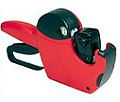

OPEN for single and double line pricing machines


CONTACT for single and double line pricing machines


PRIX for single and double line pricing machines
TOVEL for single and double line pricing machines


For Samark26, SATO Duo16, Duo20 pricers
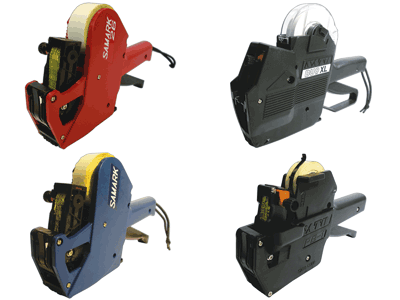
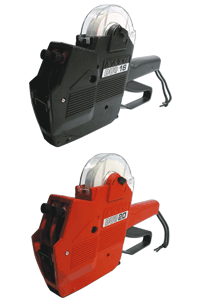

SATO Kendo, Judo for single and double row pricing machines
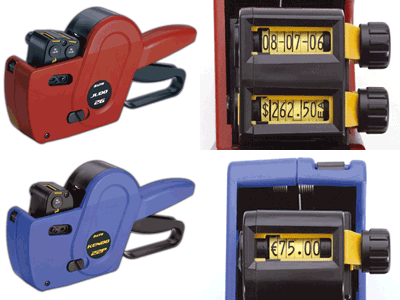
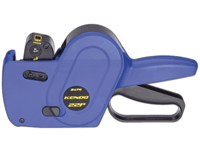
REPLACING THE INK ROLLER

1. METO NM, PL single and double row:
Open the front panel by pressing the push lever. Then pull the white FH holder out of its place, then with a light pressure, pop out the old, worn roller. Place the new one in the holder and slide it back into place.

2. METO Profi two-row:
Open the front cover by pulling it slightly at the top. Press the lever to lift out the yellow-framed ink roller and insert the new one. Release the lever. Close the front cover.

3. METO EC:
Open the hinged cover marked Fh on the right side. Pull out the red-tipped ink roller and slide the new one into place. Close the cover.
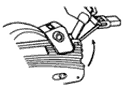
4. BLITZ:
Open the front cover by pressing lightly on the side. Use the auxiliary fork to lift out the old cylinder, then place the new one in the fork and fit it into place.
5. OPEN:
Open the front cover. Use the auxiliary fork to lift out the old cylinder, then place the new one in the fork and fit it into place.

6. JOLLY:
Open the front cover by pulling it slightly at the top. Lift out the old cylinder, then place the new one in the fork and fit it in place. Close the front cover.